
promotion

Music Release Planner Template for Bands
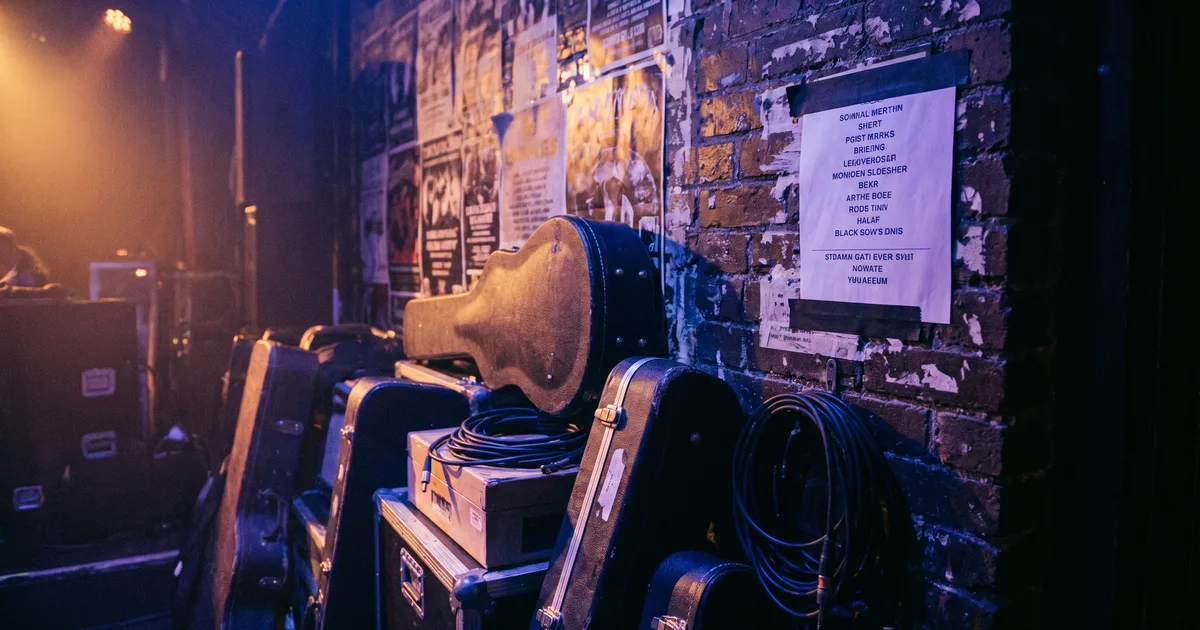
Free music release planner template with a timeline, checklist, and task tracking for singles, EPs, and albums.
Music Release Planner Template for Bands

Music Release Planner Template for Bands

Releasing music without a plan is like playing a show without a setlist — technically possible, but unlikely to deliver your best performance. This release planner gives you a proven timeline and checklist to maximize every launch.

Why You Need a Release Planner

Maximize Impact:

  • Every release gets a coordinated push
  • No missed opportunities due to poor timing
  • Build anticipation instead of dropping music silently
  • Create a consistent, professional brand presence

Reduce Stress:

  • Know exactly what needs to happen and when
  • Avoid last-minute scrambling for assets
  • Delegate tasks with clear deadlines
  • Prevent the "we forgot to post about it" disaster

Track Progress:

  • See what's done and what's behind
  • Hold team members accountable
  • Identify bottlenecks before they derail the launch
  • Learn from each release for better planning next time

Release Timeline Overview

Pre-Release (8-12 Weeks Before)

Production & Legal:

  • Finalize mix and master
  • Register with your PRO (ASCAP, BMI, SESAC)
  • Obtain ISRC codes for each track
  • Register copyright (optional but recommended)
  • Clear any samples or covers

Assets & Branding:

  • Design cover art (minimum 3000x3000 pixels)
  • Create press photos and artist images
  • Write compelling press release and bio
  • Prepare social media graphics and videos
  • Create lyric sheets and chord charts if relevant

Distribution Setup:

  • Choose your distribution platform (DistroKid, CD Baby, TuneCore, etc.)
  • Upload music and metadata
  • Set release date (ideally 4-6 weeks out for optimal pitching)
  • Verify all credits, splits, and metadata are correct

4 Weeks Before Release

Playlist & Press Pitching:

  • Pitch to Spotify editorial playlists via Spotify for Artists
  • Research and pitch to independent playlist curators
  • Send press releases to blogs, local media, and podcasts
  • Reach out to radio stations for airplay consideration

Fan Engagement:

  • Announce the release on social media
  • Create a pre-save link (via your distributor or tools like ToneDen)
  • Share behind-the-scenes content from recording sessions
  • Tease the release with short clips and stories

Content Creation:

  • Plan and shoot a music video or lyric video
  • Create teaser content for TikTok, Reels, and Shorts
  • Write social media captions for release week
  • Prepare email newsletter copy and images

2 Weeks Before Release

Amplify the Build:

  • Share more frequent teasers and snippets
  • Send a "release incoming" email to your mailing list
  • Reach out to local venues for potential release shows
  • Coordinate with any featured artists on cross-promotion

Final Prep:

  • Verify all distribution links and metadata
  • Test your pre-save link works correctly
  • Schedule social media posts for release week
  • Prepare any physical merchandise (vinyl, CDs, cassettes)

Release Week

Day-Of Actions:

  • Post on all social channels at optimal times
  • Go live on Instagram, TikTok, or Facebook for a listening party
  • Send release day email to your mailing list
  • Thank everyone who contributed to the project
  • Share stories from fans as they listen

Day-Of Content:

  • Release day graphics and videos
  • "Out now" posts across all platforms
  • Behind-the-scenes stories about the making of the track
  • Thank you posts to collaborators, producers, and supporters

Post-Release (2-4 Weeks After)

Monitor & Follow Up:

  • Track streaming analytics and playlist placements
  • Follow up with press contacts who didn't cover it initially
  • Share positive reviews and playlist adds
  • Engage with fans who are posting about the release
  • Analyze what worked and what didn't for next time

Sustain Momentum:

  • Plan your next release (sustained momentum beats one-off drops)
  • Repurpose content into new formats (acoustic version, live performance)
  • Pitch for sync licensing opportunities
  • Consider a music video release as a second wave

How to Use the Template

1. Customize the Timeline

Adapt to Your Release:

  • Adjust the timeline based on your resources
  • For a single, you may need less lead time
  • For an album, start planning 3-6 months out
  • Add any band-specific tasks (vinyl pressing takes longer, for example)

2. Assign Owners

Clear Accountability:

  • Each task should have one person responsible
  • The "owner" doesn't have to do everything — they just ensure it gets done
  • Share the template with all members so everyone sees progress
  • Set up regular check-ins to review status

3. Track Status

Status Options:

  • Pending — Not started yet, but on the radar
  • In Progress — Someone is actively working on it
  • Done — Completed and verified
  • Blocked — Can't proceed until something else happens
  • Skipped — Decided not to do this for this release

4. Set Realistic Deadlines

Buffer Time:

  • Add 2-3 days buffer to every deadline
  • Things always take longer than expected
  • Last-minute rushes produce lower-quality results
  • Early completion beats late delivery every time

5. Review and Improve

Post-Release Analysis:

  • Which tasks delivered the most results?
  • What took longer than expected?
  • What would you skip next time?
  • What new opportunities did you discover?
  • Update your template for future releases

Release Week Content Calendar

Daily Breakdown

Monday (Announce):

  • Early morning: "Out now" post on Instagram/Facebook
  • Midday: Email blast to mailing list
  • Evening: TikTok/Reel with a hook from the track

Tuesday (Storytelling):

  • Share the story behind the song
  • Post lyrics with a meaningful section highlighted
  • Behind-the-scenes recording footage

Wednesday (Gratitude):

  • Thank your producer, engineer, band members
  • Tag and thank anyone who helped
  • Share fan reactions and reposts

Thursday (Performance):

  • Live performance video (even if just in your practice space)
  • Acoustic version or alternate take
  • Performance clip for TikTok/Reels

Friday (Celebrate):

  • Weekend listening party or live stream
  • Feature a fan who's been sharing the track
  • Plan your next release or follow-up content

Weekend (Engage):

  • Respond to comments and DMs
  • Share user-generated content (fans posting about the song)
  • Relax and appreciate the work you put in

Pro Tips for Maximum Impact

Pre-Saves Matter

  • Every pre-save increases your day-one streaming numbers
  • Share the pre-save link repeatedly, not just once
  • Offer an incentive (exclusive content, entry into a giveaway)
  • Make it easy — one click should get someone pre-saved

Playlist Pitching

  • Start with Spotify for Artists editorial pitching (free, but competitive)
  • Research independent curators in your genre
  • Personalize every pitch — mention why your track fits their playlist
  • Follow up once, then move on if no response
  • Build relationships with curators who support you

Press and Blogs

  • Target blogs that cover your specific genre and scene
  • Local media loves a local angle — emphasize your community connection
  • Include a press kit with photos, bio, and streaming links
  • Follow up once, politely, after a week
  • Don't be discouraged by silence — most pitches go unanswered

Social Media Strategy

  • Post consistently in the weeks leading up to release
  • Use the 80/20 rule: 80% engaging content, 20% promotional
  • Create content that feels native to each platform
  • Engage with comments and shares — algorithm rewards interaction
  • Don't just post links — tell stories around the music

Common Release Mistakes

1. No Lead Time

  • Dropping music without warning wastes your potential
  • Playlists need 2-4 weeks to consider your track
  • Press needs lead time for editorial calendars
  • Build anticipation instead of just dropping

2. Weak Visuals

  • Cover art is your first impression on playlists
  • Low-quality art gets skipped
  • Invest in professional design or use high-quality templates
  • Ensure artwork meets all platform specs (3000x3000, RGB, no explicit content if clean)

3. Ignoring Metadata

  • Incorrect credits mean missed royalties
  • Misspelled names are impossible to fix after release
  • Wrong genre tags limit playlist placement
  • Take time to verify every field before distributing

4. One-and-Done Posting

  • Posting once on release day and stopping
  • Social algorithms reward consistent posting
  • Plan at least 2 weeks of content around every release
  • Repurpose the same content in different formats

5. No Follow-Up

  • Not tracking what worked
  • Not engaging with fans who shared the music
  • Not capitalizing on playlist placements
  • Not planning the next release while this one is fresh

Conclusion

A great song deserves a great release. This planner helps you treat your music with the professionalism it deserves, giving every track the best chance to find its audience.

Quick Start:

  1. Download the release planner template
  2. Set your target release date
  3. Work backwards to fill in deadlines for each phase
  4. Assign owners to every task
  5. Review weekly and adjust as needed

Remember: The best music in the world won't find an audience without a plan. Give your songs the launch they deserve.

Subscribe to our newsletter

Get the latest news and updates.

No spam. Unsubscribe anytime.

Bandmate Footer Background
Bandmate Footer Logo

Bandmate® is the complete platform for musicians, bands, and venues to connect, collaborate, and grow. Find bandmates, discover venues, and build your music career with tools designed by musicians, for musicians.